

Welcome to Improvement Dave, I am Dave. I will be your guide on your journey to “Choose to Improve.”
I recently wrote a post on Linked In about how it is not beneficial [for the health of you post] to link to something outside of LinkedIn. That sounds confusing and after you finally process it counterintuitive:
Here is a link to that post.
I chose to link to that post instead of linking this post to that post. Explain that to your grandparents!
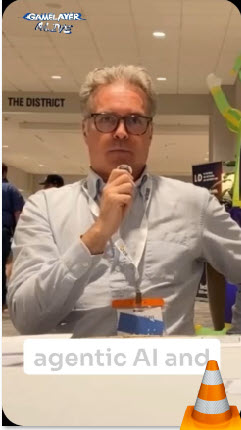
Understanding Linked In’s Algorithm: The Link Paradox
A recent connection, and dare I say new friend, called Christian Gossan, had a beer last week, Outback on the other side of the world, with a friend I don’t know. A friend who posts on LinkedIn and gets millions of views. (Something I have never done but now aspire to…) He had some advice after seeing one of my posts about a podcast I recorded last year with Christian. “Don’t link outside of thah platform, ya NOOB! The algorithm dudn’t like that, MATE!” Here I was… sitting around thinking that linking to an outside learning artifact I created looks cool, when in reality, it was hindering my reach!
What is the outcome? I have begun discussions with my digital colleague at work, “Copilot.ai.” We are cooking up a convo titled: “Strategic LinkedIn Growth Plan.” and it has already resulted in a new tagline and about me section. Something even more accurate, AND also more compelling. We are not in a binary experience. We are in a spectrum of shades. A vast sea of grey.
Why am I doing ANY of This!?
This brings up a deeper question. “Why do I create anything?” …am I trying to help others learn from my experience (or even my mistakes), OR, am I trying to reach a broader audience? Is this therapy, Lisa? Should I also get real therapy, Betty?
Well, the answer to all of that is “YES.” This might not have to be a this-or-that dichotomy. What’s the point of helping only a few when you can help many? If the algorithm likes it, then that is where I find myself. Those are my “Given Circumstances” to plug a theater gem. To go deeper still, things are not inherently good or bad. It is the labels we put on them that make them blessed or evil.
Outcome
What is the outcome? I have begun discussions with my digital colleague at work, “Copilot.ai.” We are cooking up a convo titled: “Strategic LinkedIn Growth Plan.” and it has already resulted in a new tagline and about me section. Something even more accurate, AND also more compelling.
New About Me
After a long discussion with Copilot.AI (which uses a slow work deep dive of ChatGPT) I had a plan. The plan included a better about me section on linked in. I used the same conversation channel and came up with a new about me for Linked in, and it contained twice the number of allowed spaces. So I worked on removing inaccuracies and used Copilot to cut it down even further until it read more like a story:
“If you’re here, you’re probably curious about the space where creativity, learning, and community meet—and how a little play can change the way we grow and work. That’s the space I live in.
I’m David Kolmer, a creative strategist, instructional designer, professional learner, and community builder. My path has taken me from theater stages to podcast studios, from SCUBA-beach classrooms in Thailand to boardrooms in St. Louis. Through all of it, one belief has stayed constant: learning should be memorable, meaningful, and, whenever possible, fun.
At the National Association of Electrical Distributors (NAED), I design and support learning experiences that help professionals thrive in a rapidly changing industry. Whether I’m building microlearning, shaping a curriculum, or crafting a multimedia story, I focus on curiosity, clarity, and real‑world application. I want learners to feel engaged, not obligated.
Storytelling sits at the center of my work. My theater roots taught me that people don’t remember information—they remember experiences. Every learning journey has a narrative arc, and every learner is the hero of their own story. That mindset shapes everything from my instructional design to my podcasting.
I’m also a lifelong experimenter with tools and frameworks. From Articulate 360 and 7TAPS to Photoshop, video, and podcasting platforms, I love exploring new ways to bring ideas to life. My portfolio spans eLearning, video, audio, and live facilitation, each project a chance to test, iterate, and improve.
Community fuels me. I’ve presented at ATD events, supported GamiCon, facilitated workshops, and connected with countless learners and creators. I believe professional growth is a shared adventure — one built on curiosity, generosity, and a willingness to try new things even at the risk of initial failure.
If you’re passionate about reimagining learning, exploring the power of play, or building communities of practice, I’d love to connect. Let’s see what we can create together. ~~~
Portfolio: DavidKolmer.com/portfolio
Blog: ImprovementDave.com
Podcast: GAMELAYER.fm“
Conclusion
We are not in a binary experience. We are in a spectrum of shades. A vast sea of grey.
IF we move toward the singularity where machines and humans grow together, we will have the same problems we have always had. The new Generative AI we have built is now based on the human mind. Why are we so surprised it has shortcomings? It is just becoming more human.
Listen to David Kolmer on GAMELAYER RADIO
QUOTE: “A thoughtful, steady plan is exactly the right instinct. LinkedIn rewards consistency, clarity of message, and genuine engagement—not frantic posting. Since you’re already operating at a high level in L&D, creative strategy, and community building, you have a strong foundation. What you need now is a system that compounds over time.” ~Copilot.AI




 Improvement Dave