
Day 15 – Exporting to Adobe Paint Confusion Continues

Learning is complex and painful, learning is a succession of failures where you do not give up and lose motivation but consistently overcome the setbacks and find ways to improve. I am confident that I will remain consistent in my 30-day 3D modeling challenge and that I will find a way to export 3D models from Adobe Modeler to Adobe Painter.
In today’s video, I share how I have been using the Headway app on my iPhone to listen to condensed versions of books. I have mentioned this app before on this blog. I do not receive any monetary incentives to mention this app and I am not sponsored by them in any way. The app costs around $40 a year and you can purchase a few years for a discount.

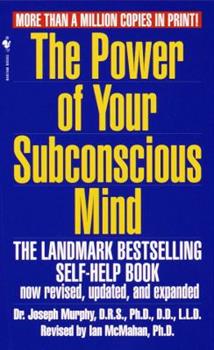
I talk about how the app fed me a suggestion to read The Power of Your Subconscious Mind. I like to talk about this book because I like to use the practices it teaches. This sounds like a new-age pseudo-science book that will tell you to take drugs and align your chakras. In fact, it is a book from the 60s that is based on Christian thought and explains how to tap into the power of your subconscious. I am not a huge fan of organized religion, but this book distills what I like about faith-based systems.
The trick is to ask yourself questions about your most pressing conflicts or confusions right before you go to bed. Then when you go to sleep your subconscious mind will attempt to solve the issues for you.
This morning I woke up and thought, wait what about the option that exports as a “Raw Mesh” in Adobe Substance Modler!? Maybe that would create an OBJ file that will open up in Adobe Substance Painter!
You can watch the video to see how I painfully discover that this solution didn’t do the trick. I am still doing something wrong, but this practice did give me something else to try and that was a step in the right direction.

 Improvement Dave