
Day 09 – Booleans
Welcome to Day 8 of my 30-day 3D Design Challenge. Today I am looking at Booleans, defined in computer science as a series of code selected to execute, or not execute, depending on a true-false response. (Or that’s what I gathered from a quick Google Search!)

Show me the Booleans!
Boolean functions can be found in the Actions menu. (right click)
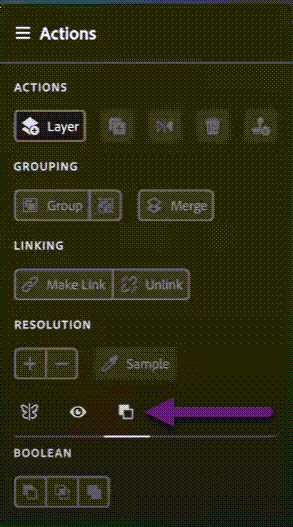
The video states that there are three boolean options (above) that can be applied to anything that can be selected. However, as of March 2023, I show 4 Boolean options in my version of Substance Modeler (below).

The 4 Boolean options from left to right are:
- Subtract mode for selection
- Intersect mode for selection
- Split
- Union Mode
Welcome to Booleans!
1. Boolean – Subtract 
Uses the Boolean object to cut away from the target object. This is also called “Difference”.
2. Boolean – Intersect 
Used to delete everything except where the boolean object and target overlap.
3. Boolean – Split 
Used to split the target object into separate objects based on the boolean object’s surface.
4. Boolean – Union 
Used to combine two objects – In the video, this is called “Add” or “Addition”.
For this topic, I used the Adobe Homepage to help define and instruct me on Booleans in Adboe Stubstance Modeler 3D.
https://substance3d.adobe.com/documentation/md/booleans-225971010.html
For the rest of this 30-Day Challenge, I have used this playlist.

 Improvement Dave