Review from Day 2
I returned to the room I designed yesterday on day 2. I didn’t particularly appreciate how the couch cushion was fused to the couch’s body on a single layer. I went in and deleted the cushion and then switched over to the clay tool to add a new one on a new layer. This is shown in this video.
I was really chatty in this demonstration. I think it was because it was right after my first cup of coffee right before work! I was psyched!
Day 3 – More Tools!
I really enjoyed the 4th video on Substance 3D Modeler from the curated playlist tutorial series by Adobe. ( First Steps with Substance 3D Modeler – 04 All Tools)
It covered the rest of the tools and showed other ways to use the first tools covered in the series. Remaining sculpting tools: Buildup, crease, Inflate and paint.
⭐ Buildup Tool
- “B” key on the keyboard.
- This tool is used to build up areas on the clay.
⭐ Crease Tool
- Subtool to the buildup tool.
- pull up and pinch a ridge on the clay’s surface.
- Tab will alternate pinching up and creasing in.
⭐ Inflate Tool
- Continually inflate the clay surface where the tool comes in contact with the clay.
- You Change the intensity and also select deflate mode.
⭐ Paint Tool
- Can be used as is with the color selection panel,
- Also works with all the shapes found under the clay tool!
- Nothing fancy but a good way to give an object a decent shaded texture good for a base coat.
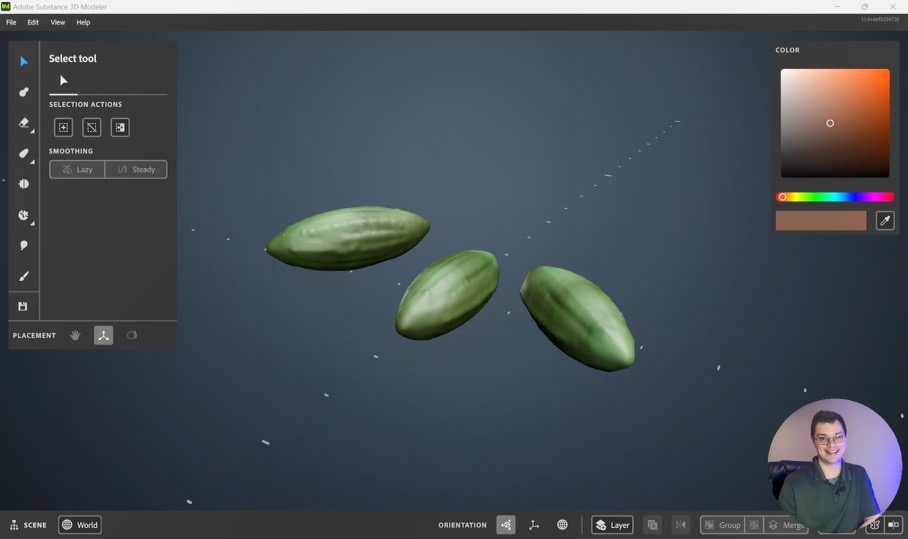
Check out what I came up with from using the rest of the tools!