Have you ever had a computer die on you and you lost all your sweet bookmarks?
Has your cell phone ever nearly crashed because you had 30 web browser tabs up that you were going to “check out when you find the time?”
Have you ever sat and gazed at the stars wishing there was a way to have a platform where you could save bookmarks that will follow you for the rest of your life?
Well welcome to 2018! Where have you been?! There is a thing for this and it’s called Social Bookmarking.
There are a number of options from Pintrest for the more visually inclined and symabloo for more of an app-like tile look.
Whenever you have a link you like just add it to your profile and there it will stay until the end of time, or the end of the internet, which ever comes first. Click below to see my personal attempts with these tools.
Symbaloo is a beautiful grid of icons that link to pages you like or want to visit at a later time. There are many option to customize your tiles to look just the way you want. Check out my page of links on Learner Experience here.
In this post I aim to explore web-based design platforms that offer truly free web development. The criteria is that the user can design a web page, and have it hosted indefinitely, for absolutely no payment. I am comparing two options that I have heard the most about (Weebly.com and Wix.com) to an option that I am already using (WordPress.com)
Offers a free easy-to-use cloud-based drag-and-drop web site builder. According to PC Magazine’s Lead Software Analyst, Michael Muchmore, the web-editor does not let you place things anywhere you like similar to Squarespace ($12) but unlike Wix (free). The templates are clean and contemporary and present many image-rich options. Not to mention you get a free domain name (free includes “weebly”) and a $100 credit to Google Ads. The web-based builder boasts custom fonts that can be typed right onto the page (as opposed to typing text into a side-bar) and an image editor. You will have a weebly.com subdomain but will enjoy 500MB of storage with SSL Security. Muchmore states that the main thing that sets Weebly apart is that you can receive the HTML code of what you have created in a zip file via email, that does not include all of the store front code but most free editors do not offer any HTML save. So not bad at all for $0.00.
If you jump up to the Pro level it only sets you back a mere $12.00 a month and adds a good deal of goodies. You can add a search bar that helps your users find content. Media will jump up to video backgrounds and HD grade video and audio. Not to mention you get a free domain name (that does not include “weebly”) and a $100.00 credit to Google Ads. The pro level does have options to sell with a checkout on Weebly.com. If you jump up to the business level ($25USD/mo) you get a storefront right on your domain. For complete pricing options visit the Weebly Pricing Page.
Offers a free easy-to-use cloud-based drag-and-drop web site builder that above all is free form. Wix has modern clean templates to start you off but you are not bound to them like you tend to be with the likes of Weebly and Squarspace. Wix is the free web developer / hosting program that truly gives to free reighn to create a unique online space. You are locked in to hosting it on their site but that’s a pretty fair trade off for having a more complete artistic freedom. Besides it is free, so it isn’t like you are locking into a paid service. Another nice attribute of Wix is that the features just seem to keep growing. The list of new features is well, just expansive! To get started with With Wix all you need is an email and the templates are much more diverse than the mere seven that Weebly offers.
The paid services that Wix offers are also very tempting. If you already own a domain name you can use that domain with your Wix content for only $5.00 per month. Bumping up to the VIP option includes some incredible offers, including: 20 GB of storage, shopping cart / storefront, a unique domain name and unlimited bandwidth. To check out all of the paid options check out the pricing chart here.
If you haven’t noticed the phrase wordpress is in the URL of this page. That is to say I am using the free wordpress platform to generate this blog. For blogging WordPress is fantastic and top of the line. There is not much leeway on having a freeform drag-and-drop experience without knowing some HTML. You can even use CSS language (but that will bump you up to $8/month). However, if you are composing a Blog, that’s not really the point anyway. All I want for a Blog is an ability to select my font, chose a size, maybe select some text color and have some basic controls on how my images appear. So, far WordPress.org has done all that I have wanted all for the price of zero dollars. Now if I wanted something a bit more creative, say to show of my artwork, or advertise my business I might something a bit more flashy. So, it’s really all about what you are trying to do; and to share my thoughts on Instructional Design and Educational Technology I am more than happy with the extremely easy-to-use interface of WordPress. It is true Web 2.0 and I haven’t even had to think of things like FTP and code not working.
Now as you start paying for WordPress the optimization and customization really kicks in pretty quickly. It really is only the free option that limits you to a basic blogger experience. At only $4 a month you are already well above what most other sites offer for their basic paid plans (Wix is the lowest and it starts at $5.) Just $4 gets you your own domain name with no WordPress Advertisements, templates, email tech support not to mention a hefty 6 GB of storage. If we jump up to the the top plan, the “Business” plan, It’s only $25 and it is loaded with all you need from exclusive pro templates to Google Analytics. The only thing really missing is a shopping cart for eCommerce. Worpress’ answer to that is third party plug ins. Shopify is a big trusted name and accounts that allow ecommerce start as low as $9 a month. If you want the details of the wordpress paid options check them out here.
Perspective
This blog is about designing instructional content…
…but just to put this all this business in perspective you can open up a storefront on Amazon that supports e-Commerce, as well as full logistical and Customer Service support, for roughly $35 a month. The win is that you have the name of Amazon backing up the legitimacy of your storefront. The loss is that you are not building your brand up you are building up Amazon’s name. So, if you want to sell on-line and building your brand is not important to you then Amazon.com might be a whole lot easier for the same.
Conclusion
All of these platforms have something to offer. If you want to design something and have a reasonable amount of creative control and be able to take the code with you then Weebly is a good fit for you. If you want a true drag and drop experience but don’t need a copy of the code then Wix would do you right. If you want a platform to simply, and quickly, share your thoughts and photos with the world the WordPress is for you.
Author
David Kolmer is a Learning and Development Specialist who focuses on curriculum development and eLearning authoring.
When we think of the Internet of Things, that is objects in the real world being enhanced with smart-chips that enable them to send data over the internet, a few of us might recall Skynet from The Terminator franchise. If you have not had the pleasure, this is the story where a cloud-based internet system was leveraged by intelligent machines to overthrow the humans. Although this is a potential outcome of the IoT, it is not very likely. Well, not according to the AI FaceBook chatbots of 2017 anyway.
IoT, What Could Go Wrong?
Well, a lot could go wrong actually. In keeping with the skepticism of the opening statement of the blog post I would like to share a short clip from the recent Internet TV success Mr. Robot.
It is at this point in the story that the hackers involved appropriate the “Smart Home” and use it for a landing spot for a party. Although this scene is a bit dark, it does get us all onto the same page around what the Internet of Things encompasses.
It is important to remember that technology is not inherently good or evil in nature but it is the user that makes it so. This scene also reminds us of the potential safety and privacy risks inherent with implanting the internet into the objects around us.
It Can’t Be All Bad
The IoT revolution is not certainly all bad and there is no reason to assume that it will only end in disaster. In fact, in his his article for Business Insider, Andrew Meola makes a few very strong arguments on why the IoT is going to be extremely beneficial to the area of education. Depending on when and where you went to school the world of education might not be the first place you think of when you think of smart objects. However, as Meola points out in his article, there is a lot that the internet is already doing for the classroom. (Meola 2016)
Meola writes that the majority of the forthwith “disruptions” in the education system are happening in the area of higher education. It is useful to highlight here that I received my undergraduate just after the start of P2P file sharing. What we now refer to as WEB 1.0 was in full swing and we had yet to see any disturbances of social media as we know it today in these final days of WEB 2.0.
At that time (2001) a majority of students went to the on-campus book store to purchase their books. If you were thrifty or taking a class you were not all that excited about you would simply purchase a used book. Amazon.com was certainly around but a majority of students didn’t think of purchasing books online. Sure it happened but not many of us had the idea of shopping online in the forefront of our minds. As I started my masters degree in 2016 I found a much different environment.
Online Learning
For starters the classes were completely online, I haven’t even had to go to campus. I have gone a few times because I am nostalgic and want to see the place that I am getting my degree from, but let’s be clear, I didn’t have to. The Schoology platform has really been all that I have needed to get my work done. It is a Learning Management System that also functions as a communication platform. If I have my laptop and WiFi I can get to work.
To Books or Not to Books?
In my first few Higher Ed. classes, in 2017, I have found that purchasing books is an optional task. Most of the courses have simply leveraged portions of digital resources owned by the school library. In my second class I did purchase books at the school bookstore. However, I shared this with a friend at work who happened to be a young millennial and he scoffed at my apparent lack of understanding. You know there are sites online that just let you rent the PDF, right?
As I have moved through this paradigm shift I have found that the library at my University has really embraced this brave new world. The biggest difference that I have benefitted from has not only been finding digital copies of needed texts online but in a number of cases the library had audio recordings of the readings I needed to complete. I downloaded them all in MP3 and loaded them onto my smartphone. I queued them all up and played them via bluetooth connectivity over my car’s audio system. In this way I had my homework read to me as I drove to work. Solid move Improvement Dave.
Research and Sources
Having legitimate support in your writings is now also much easier than it was back in the not-so-long-ago days before the internet. If you need data to support your ideas, it is now remarkably easy to locate a legitimate source. You simply search through a database with very a comprehensive search engine that allows many ways of searching, including multiple topics at once, to find the perfect article. (Example: EBSCOhost) Sourcing academic journals has never been easier.
It is going to be Great
So, although we have our share of television shows and movies that paint a picture of doom around connecting our things to the net, there really is plenty to be excited about. At this point there is no real threat of them becoming sentient beings that crave our destruction. This revolution has just started and we have really only scratched the surface. I can’t wait to see where this all takes us and what higher ground we find.
Author
David Kolmer is a Learning and Development Specialist who focuses on curriculum development and eLearning authoring.
When I started my efforts in web design I was working with Web 1.0. We had content that we uploaded via an FTP to a static web page. The process was tedious and the outcome could be a bit unpredictable, but it was something that you made from scratch. I am still a fan of the fully customizable nature of the Web 1.0 world.
Web 2.0 Tools
With the dawn of the Web 2.0 cloud-based design technologies, we might have lost a bit of that hands-on approach to design. However, I still embrace this new world of design and see several good things coming from it.
We are not all Designers
The thing I like the most about Web 2.0 is that it makes all of our content look relatively good. In the Web 1.0 days, it was not uncommon to see a pink page with white letters. Or a forest-green background with dark grey letters. My point is that you can’t read text when it is displayed this way but in Web 1.0 those poor decisions are all too easy to make. I realize that if you try you can still produce these outcomes with our new Web 2.0 design tools, but there is a default setting on most platforms that already looks clean and sleek so there is not much motivation to go in and tweak the options.
Power to the People
Web 2.0 has opened the floodgates and allowed nearly anyone interested to create content for the web. This obviously created several problems with validity and security. However, it also liberates the masses and allows the world’s unheard voices to have a space to share their perspective.
My Favorite Web 2.0
At this point in time, as a Learning and Development Specialist who prefers to work in eLearning design; I would have to say that the new Articulate 360 suite is my favorite bit of cloud-based authoring software.
Specifically, Articulate Rise is touted for effortless responsive authoring. With Rise, a designer quickly ends up with a learning artifact that is both user-friendly and has a modern feel. If a designer wanted to create a similar artifact with traditional on-premise software it would take hours and hours of painful labor.
Rise does have its limitations, but for rapid development, I am willing to work within those confines as a trade-off for the ease of development and spectacular outcomes.
Author
David Kolmer is a Learning and Development Specialist who focuses on curriculum development and eLearning authoring.
Voicetrhread is an online space where group members are able to discuss videos, images, and documents. Users are able to add comments whenever they want. The platform is pitched for three main user groups: business, higher education, and K-12 school levels. An instructor could easily post content related to a classroom topic or business problem. Then the platform could be used to facilitate user discussion to dive deeper into the subject matter.
Animoto is a cloud-based video editing platform. Users have the ability to upload content including videos pictures and music that can be used to a create a seamless slideshow video production. An instructor could assign group or solo work that includes creating a video presentation. The length and content could have set goals that need to be reached and at the end of the project, the learners could watch the content as a community.
Coursera is a free online learning platform that offers over 2,000 university-level courses from institutions such as Stanford and Yale. The coursework is presented in a sleek media-rich online platform. There are opportunities for group discussion among learners in the same class. When completed a certificate of completion is offered to the learner for a nominal fee (starting in 2015). Instructors could assign a single module or a small portion of a course in order to enrich the student experience.
Author
David Kolmer is a Learning and Development Specialist who focuses on curriculum development and eLearning authoring.
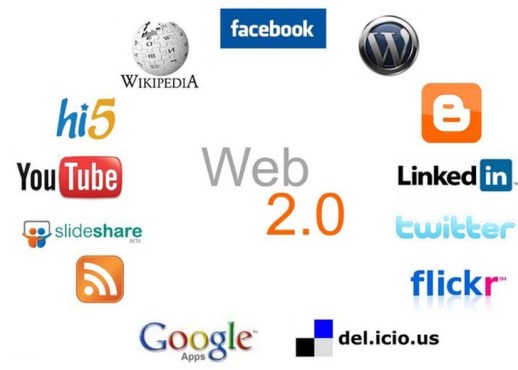
This is a high-level overview of the current top 8 Web 2.0 sites. Web 2.0 is defined as a web page that allows for user manipulation and interactivity with document, media and other users.
“One of the key lessons of the Web 2.0 era is this: Users add value. But only a small percentage of users will go to the trouble of adding value to your application via explicit means. Therefore, Web 2.0 companies set inclusive defaults for aggregating user data and building value as a side-effect of ordinary use of the application. As noted above, they build systems that get better the more people use them.”
― Tim O’Reilly, What is Web 2.0
First things first. Facebook is the social media site by which all social media websites are defined. The original purpose of Facebook was to allow college students to interact and rate each other on likability. However, over time Facebook has grown itself to a social media mega-platform that can be used to keep in touch with friends both near and far, advertisement, sales and mass communication just to name a few. Facebook has become the go to for all ages for social engagement. Yet, over time it has transitioned to include comercial marketing and advetising as well. FaceBook is becoming overall less popular with younger generations as all of the grandparents and great grandparents start to utilize the platform. Facebook was founded in February of 2004 with credit of its creation given mostly to Mark Zuckerberg. A Facebook account can be easily created with a functional email and a password. With a Facebook account, you can create a page that can function as informational or for business purposes.
Have you ever heard of this company they call Google? What started a powerful web search engine that actually searches pages, and is not merely an index of selected URLs, has grown itself into a tech and software superpower. Google is usable in one form or another by any age, gender, or socio-economic status. The G-Suite platform includes Gmail, Calendar, Hangouts, Drive, Docs, Sheets, Slides, Sites, Jamboard and Vault. The Application platform was launched on August 28, 2006; 11 years ago by the parent company Google. The G Suite was started with the idea of Google having an email platform which they dubbed “Gmail” which for the time had a very large amount of data storage. The suite has grown over time to include document editing platforms, cloud storage and online meeting places.
LinkedIn can easily be defined as the Facebook for your professional life or career. The Linked In profile serves as a working resume that can easily be updated and customized by the user. It is largely used by the professional workforce to promote themselves in the job market. It is not secret that hiring managers leverage Linked In on a daily basis. There are even professional accounts available that allow hiring managers additional search and find privileges over the standard free account. It was founded in 2002 by Reid Hoffman. Signing up for Linked In is very intuitive and can be expidited if the user chooses to leverage an existing Facebook or Google account.
In case you haven’t noticed yet this web page was created via the WordPress platform. WordPress is a simple cloud-based web page design platform that can be used for free by bloggers or upgraded for very low monthly rates (paid annually) to a sales platform. The design is intuitive and the user even has options for domain name selection. WordPress was launched on November 21, 2005, by the Automattic web development corporation.
Vimeo is a self-proclaimed online community of video creators. Videos must be high-resolution and Vimeo prides itself in preserving the High Definition resolution of its content. Vimeo is used predominately by video artists and designers and is less of the Internet TV provider of its predecessor YouTube. Vimeo was launched November 2004 by Jake Lodwick and Zach Klein of IAC. Users are able to upload personal home movies but Vimeo is more geared for professional video artists who are looking to house HD content for business purposes.
Wikipedia is the online free Encylopedia. It is a rich source of data that is user composed. Although the content is continually maintained and fact-checked by users the credibility of its content is often questioned. Wikipedia is a good source to learn a general high-level overview of a topic you would like to know more about. In a way, it is a good starting place to learn about something new. It is not as usefully for academic or professional purposes as it has not necessarily been written or reviewed by subject matter experts. Wikipedia was launched on January 15, 2001, by Jimmy Wales and Larry Sanger.
SlideShare is an online community where users can share PowerPoint slide decks. The decks are flattened and all: layers sounds, animations and transitions are lost. However, the platform provides powerful and user-friendly space to share slideshows at no cost. The service is predominately used by professionals or students and syncs seamlessly with Linked In. SlideShare was launched on October 4, 2006, by the Microsoft Corporation. Slideshare can easily be used by anyone who opens an account and has a PowerPoint presentation that they would like to share with the world.
Screencast-O-Matic is an online platform, that requires a lightweight download, which allows users to record their screen, webcam or both simultaneously. The free recorder is currently limited to create 15-minute recordings. (If used in a professional setting a pro package is available to that allows for unlimited video length as well as other enhancements.) The user has options of the area of the screen to record, sound input and resolution. Once the recording is complete the user can choose to: download a video file, save to Screencast-O-Matic profile or upload to YouTube. The newest version of the platform is Screencast-O-Matic 2.0 which was launched on Nov. 12, 2015. Screencast-O-Matic is a privately held company headquartered in Seattle, WA.
Author
David Kolmer is a Learning and Development Specialist who focuses on curriculum development and eLearning authoring.